❯ Chrome extension · bring your own AI

Every link
in its place.

Open Helpy on any page and it picks the right folder for it: a research paper goes to Science, an Instagram profile to Social, a recipe to Food. Already have hundreds of bookmarks? It sorts the whole pile into a clean folder tree.

helpy organize "Attention Is All You Need"

  • Free
  • No account
  • No tracking
  • Keys stay in your browser
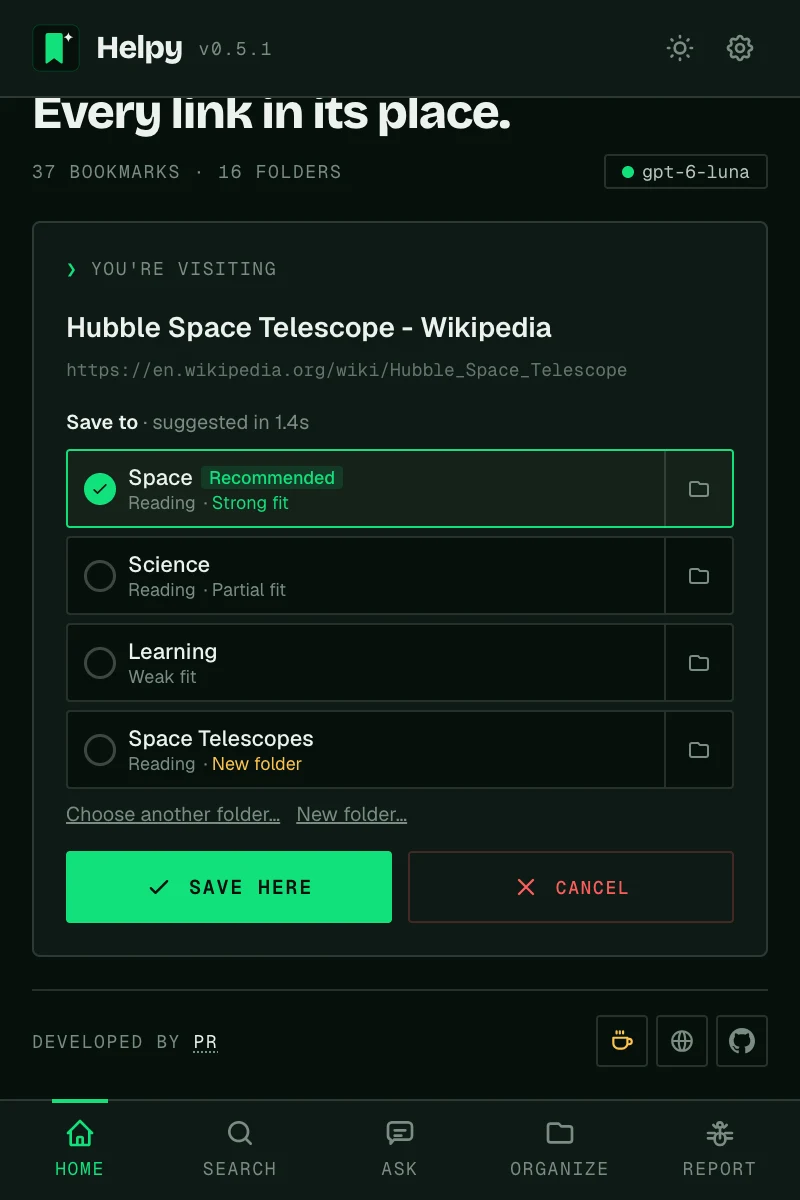
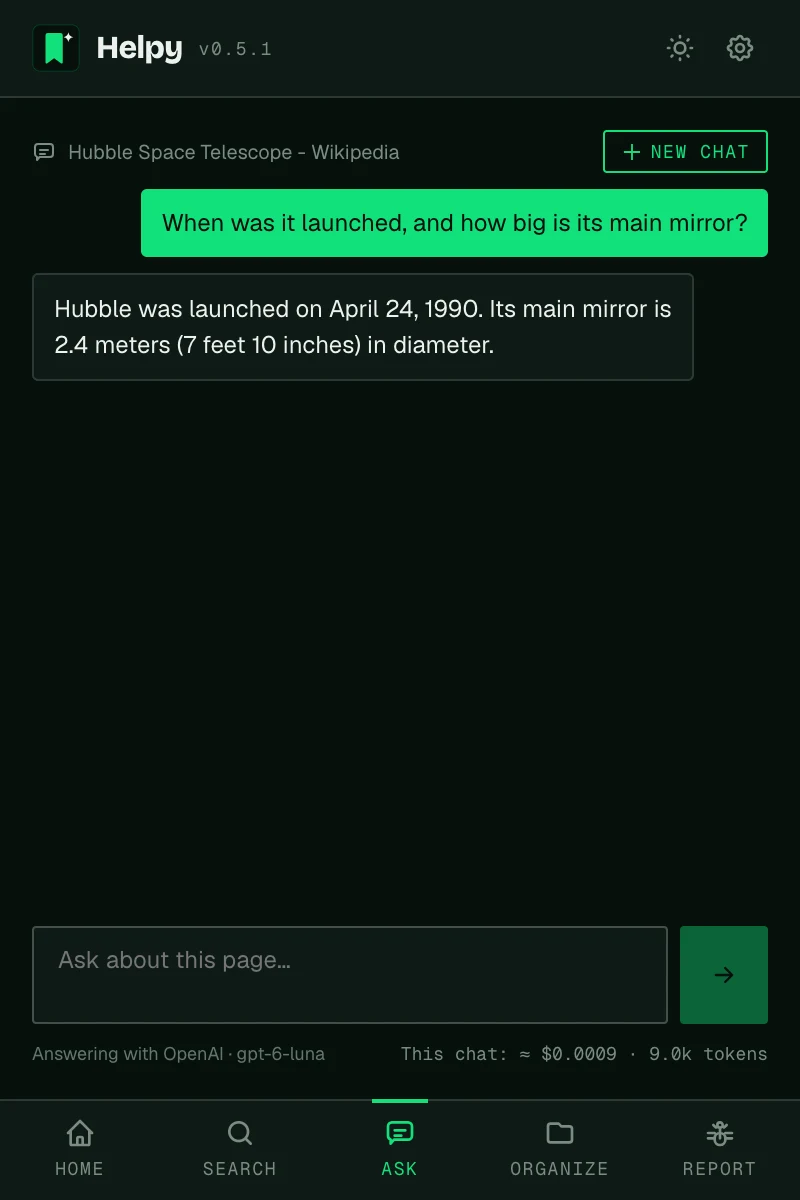
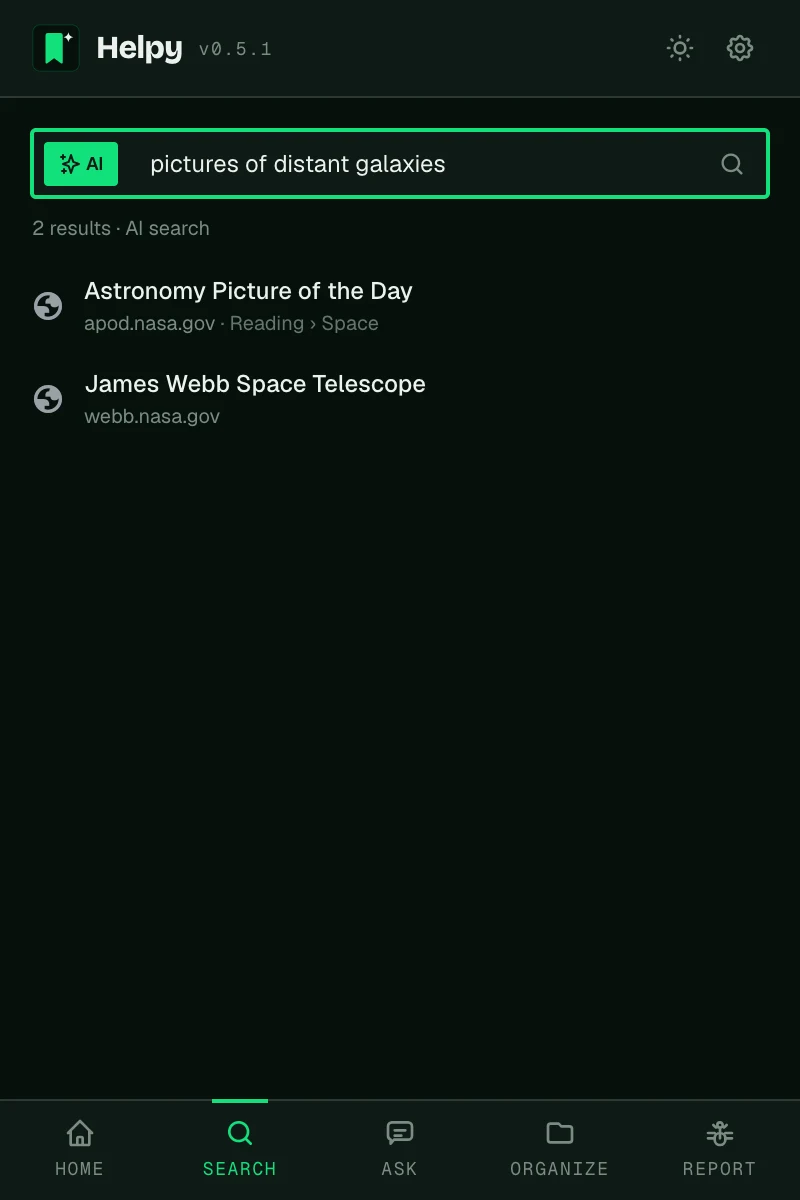
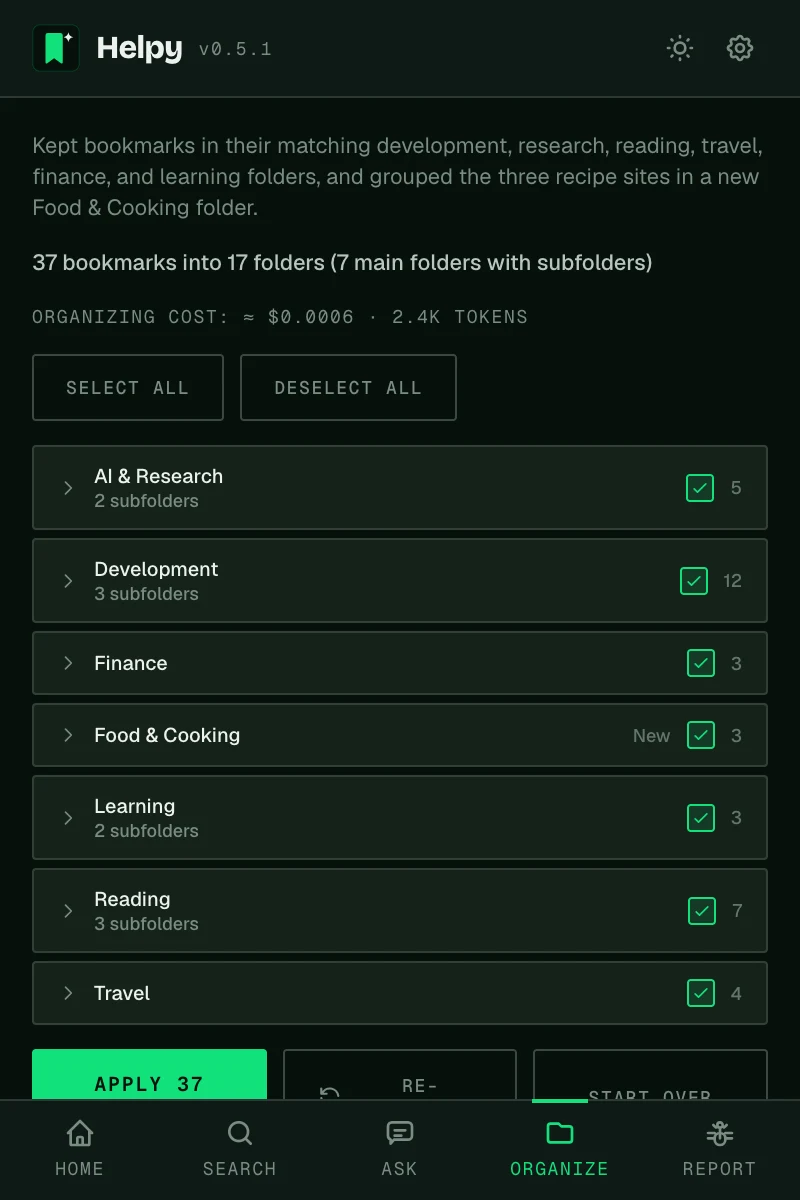
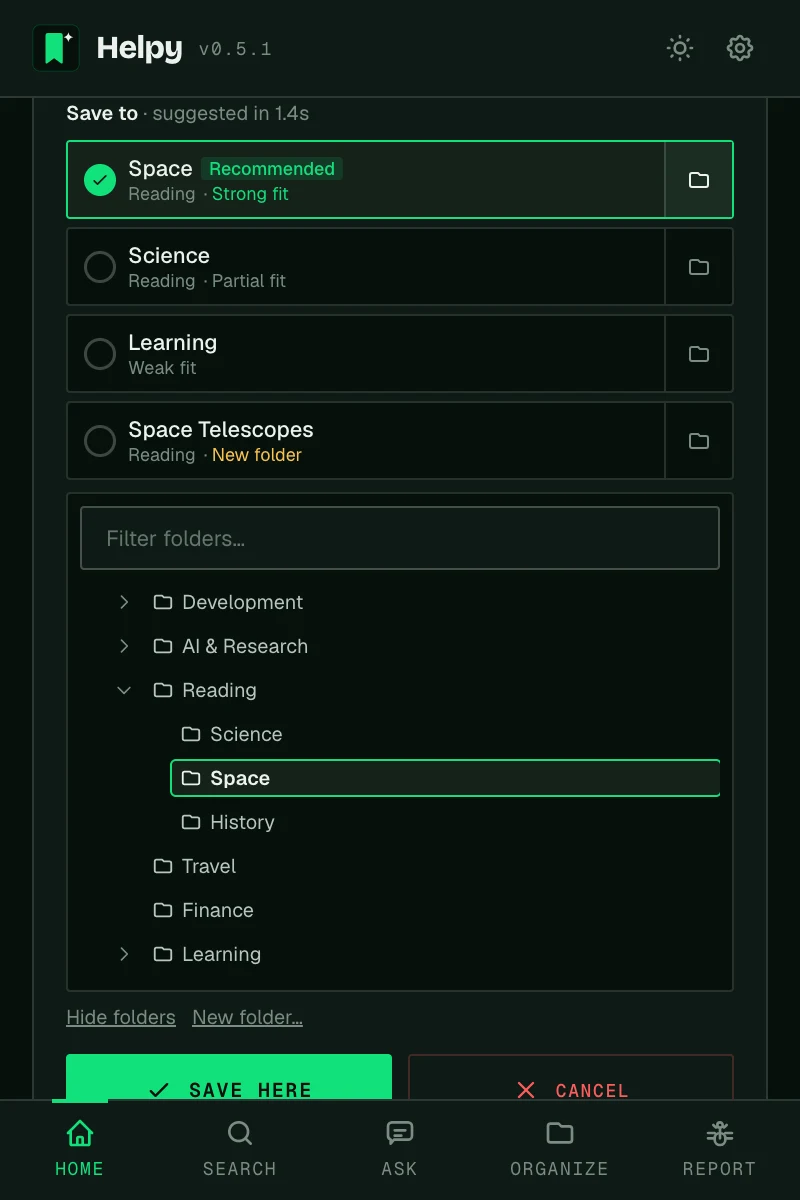
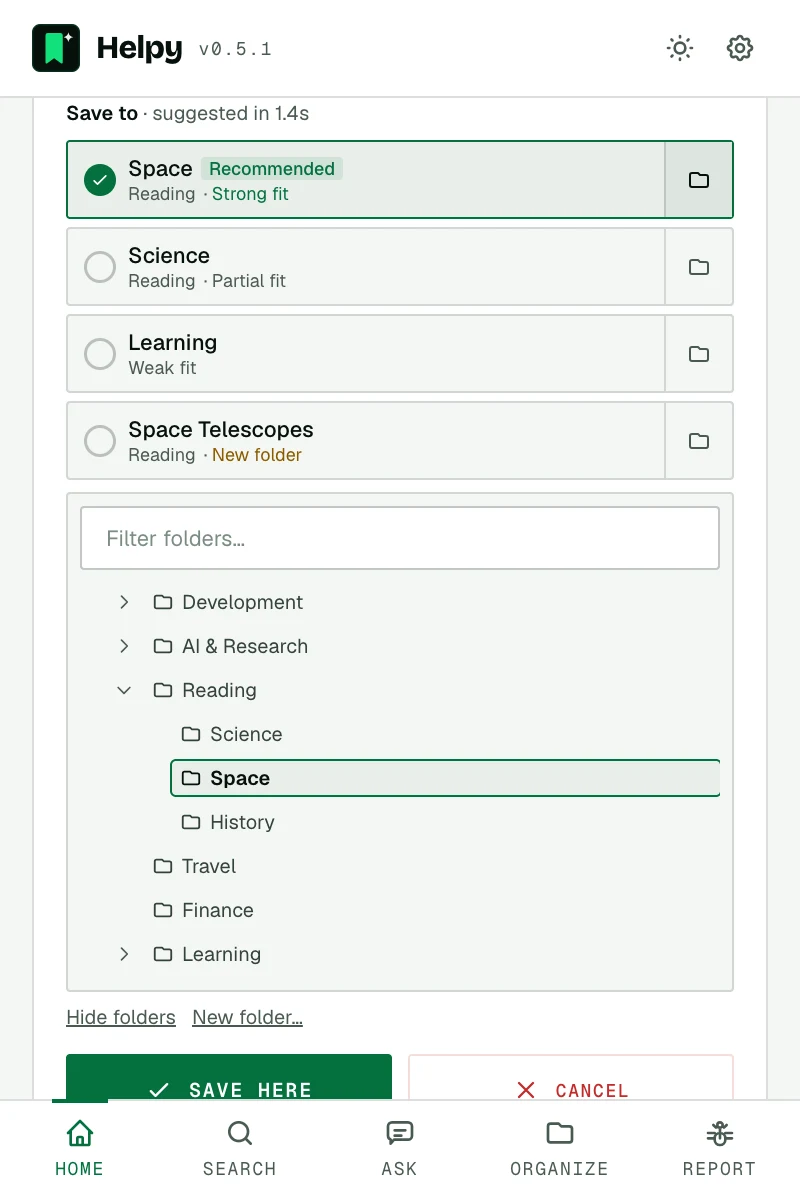
Helpy's Home tab showing the page you're visiting with Organize and Ask buttonsHelpy's Home tab showing the page you're visiting with Organize and Ask buttons Three rated folders and one new folder for the current page, the recommended one selectedThree rated folders and one new folder for the current page, the recommended one selected A chat answering questions about the current pageA chat answering questions about the current page AI search finding bookmarks by meaningAI search finding bookmarks by meaning
Home · the page you're on
6AI options, incl. local
4Folder options per page
~1sPer page with fast models
0Trackers, ads or accounts

❯ How it sorts

This page, that folder. In one click.

Helpy reads what the page is about and picks the folder that fits from your own bookmarks, or suggests a new one when nothing does. Some examples:

  • arxiv.orgAttention Is All You NeedScience › Papers
  • instagram.comNational GeographicSocial › Photography
  • seriouseats.comThe Best Pizza DoughFood › Recipes
  • github.comA command-line tool for PythonDev › Tools
  • skyscanner.netFlights to LisbonTravel › Lisbon tripnew folder

You see the suggestion first; nothing is saved until you pick it.

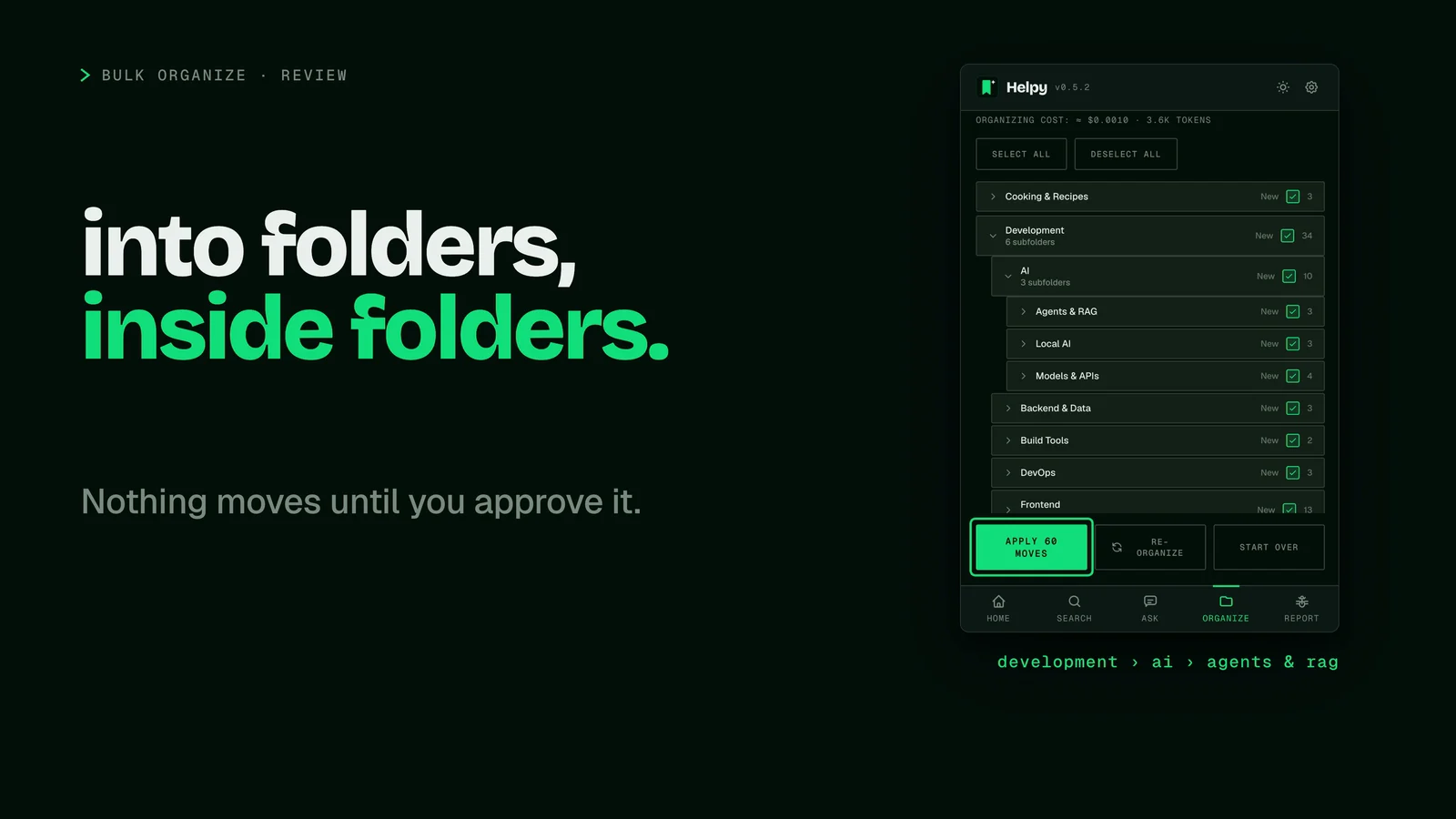
Helpy's review screen with a folder tree open: Development, AI, and three subfolders, next to the words into folders, inside folders.

❯ Watch · 47 seconds

See Helpy sort a messy library.

1,544 real bookmarks in one "To sort" folder, turned into a folder tree you approve before anything moves. Plus one-click filing, AI search and Ask.

Also in Spanish: audio track and subtitles

❯ What it does

Five things Helpy does for your bookmarks.

Click through each one. These are real screenshots of the extension.

One click and Helpy shows the three closest folders from your library, each rated by fit, plus a new folder made for the page. The recommended one is already selected.

  • Not quite right? Open your folder tree from any option, or name your own folder.
  • Recommends the new folder only when none of yours fits strongly, so no near-duplicates.
  • Keeps working if you close the popup. The answer waits for you.

Sort hundreds or thousands of bookmarks in one go. Helpy plans a clean folder structure and assigns every link.

  • Review every move before anything changes. Nothing is applied without you.
  • Choose how deep folders may go, from one level to four. Crowded folders are split into subfolders, and "To sort" folders get emptied.
  • Runs in the background. Close the popup and come back later.

Chat with the page you're reading: summaries, key points, or a specific question. Answers quote the page.

  • Remembers the conversation, so follow-ups like "and who built it?" just work.
  • Answers in your language, whatever language the page is in.
  • Your chat is still there when you reopen Helpy. Start a new one anytime.

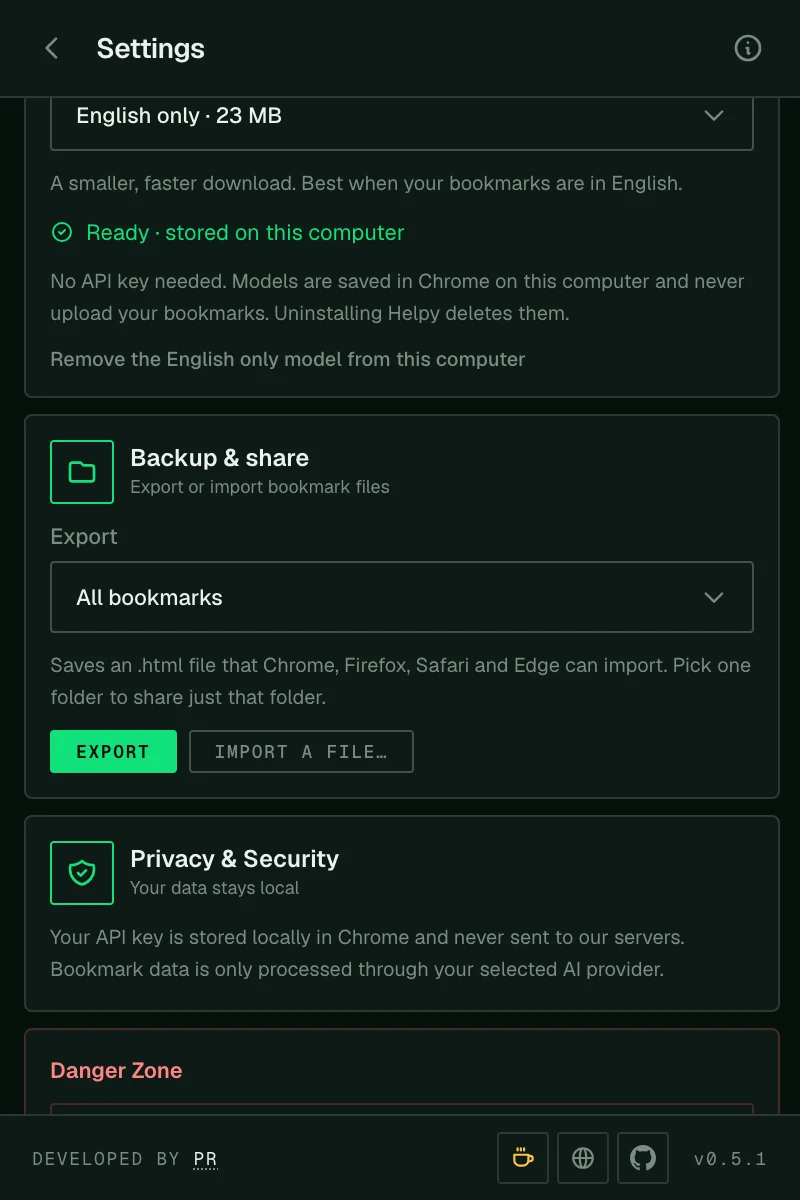
Export all your bookmarks, or a single folder to share, as a standard file every browser can import.

  • Import files from Chrome, Firefox, Safari or Edge.
  • Skips links you already have.
  • A good habit before a big bulk organize.
Folder options for the current page, the recommended one selectedFolder options for the current page, the recommended one selected Reviewing a bulk organize plan before applying itReviewing a bulk organize plan before applying it AI search results for a natural-language queryAI search results for a natural-language query A conversation about the current pageA conversation about the current page Backup and share settings with export and importBackup and share settings with export and import

❯ How it works

Three steps, about two minutes.

  1. 01 / install

    Add Helpy to Chrome

    Pin it to your toolbar so it's one click away on any page.

  2. 02 / connect

    Choose your AI

    Paste a key from Gemini (free), OpenAI, Claude or OpenRouter, or point Helpy at a local model.

  3. 03 / organize

    Click, review, done

    Pick a suggested folder for the page you're on, or let Helpy sort everything and review the plan.

❯ Set up

From install to your first organized page.

Everything you need, including where to get an API key and which model to pick.

01 Install

Add Helpy to Chrome

Install it from the Chrome Web Store, then click the puzzle icon in Chrome's toolbar and pin Helpy.
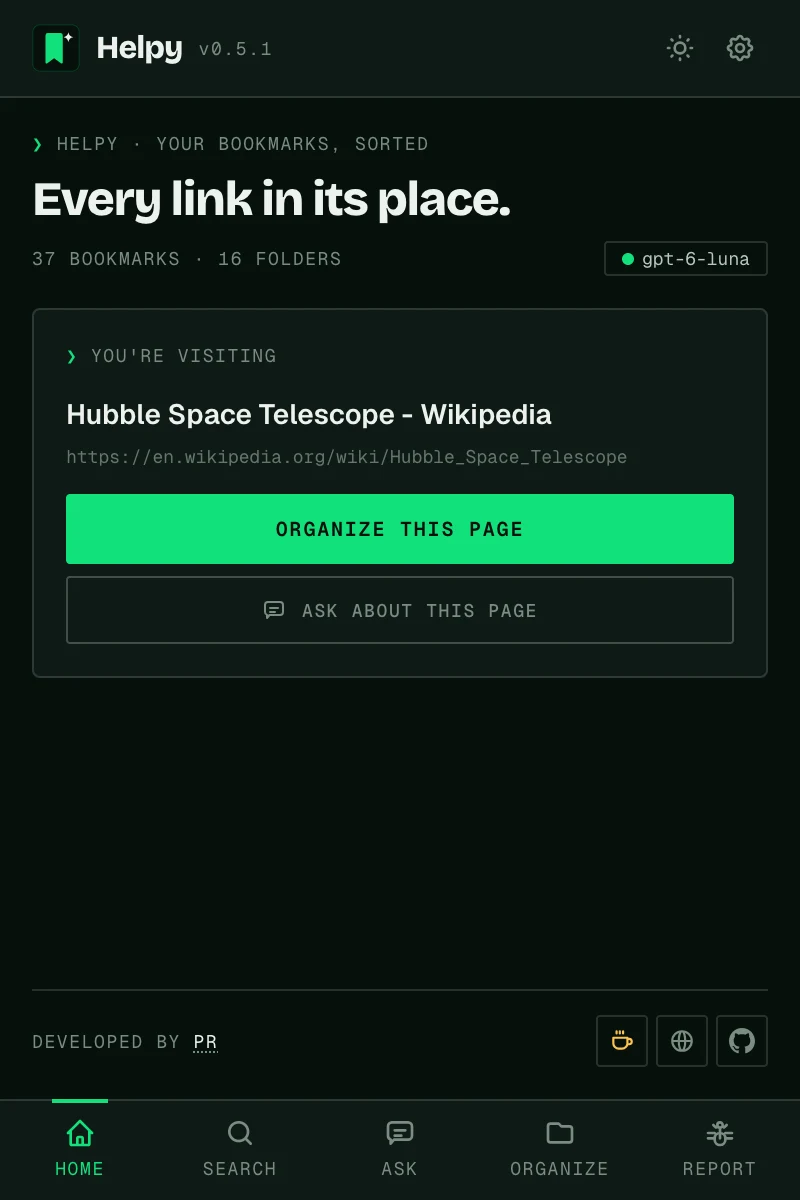
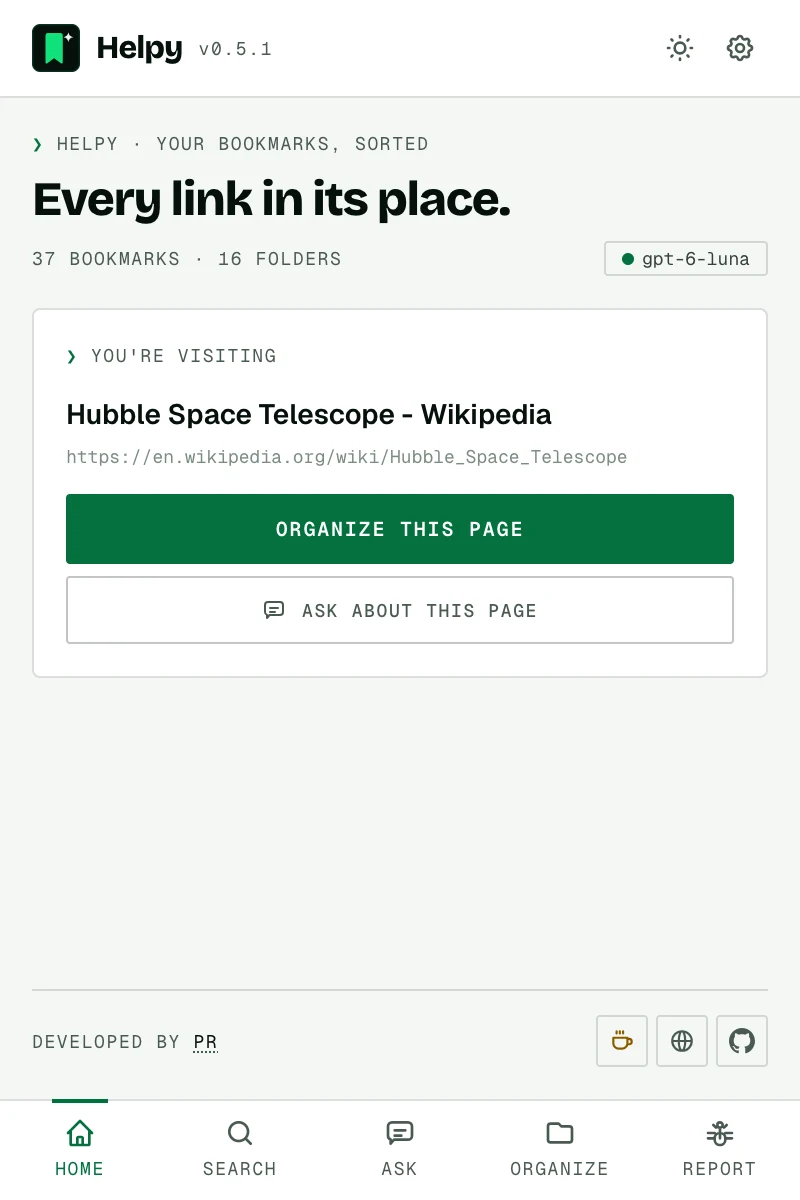
Helpy's Home tab after installingHelpy's Home tab after installing

02 Connect

Choose your AI

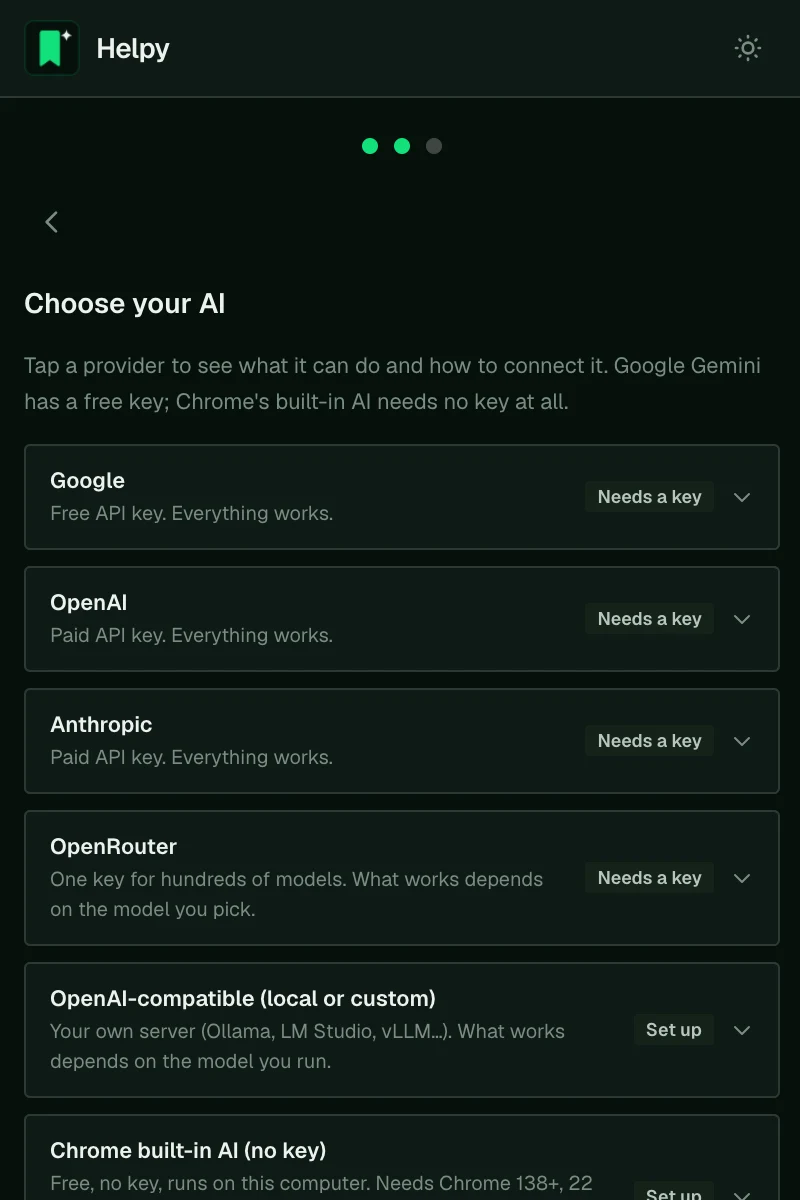
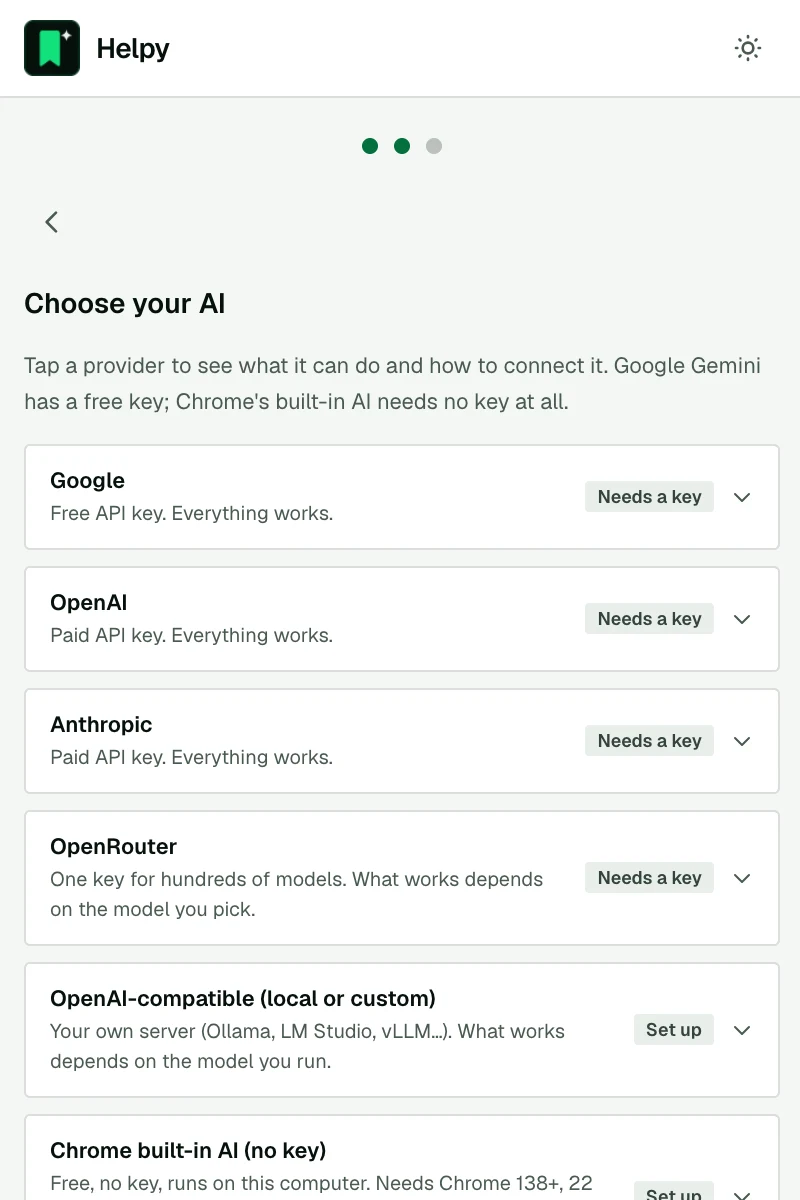
The first time you open Helpy, it lists every AI it works with. Click one to see what it can do (✓ works, ✕ not available, ~ depends on the model) and how to connect it.
  • Want free? Google Gemini has a free key, and Chrome's built-in AI needs none.
  • Want private? Run a local model with Ollama. Nothing leaves your computer.
Choosing an AI provider during setup, with capabilities for eachChoosing an AI provider during setup, with capabilities for each

03 API key

Get a key and paste it

Each provider links straight to its key page. Create a key, copy it, paste it into Helpy and press Save & set up. The key is stored only in your browser and is only sent to that provider.

Using Ollama? Choose OpenAI-compatible (local or custom), enter http://localhost:11434/v1 and leave the key empty.
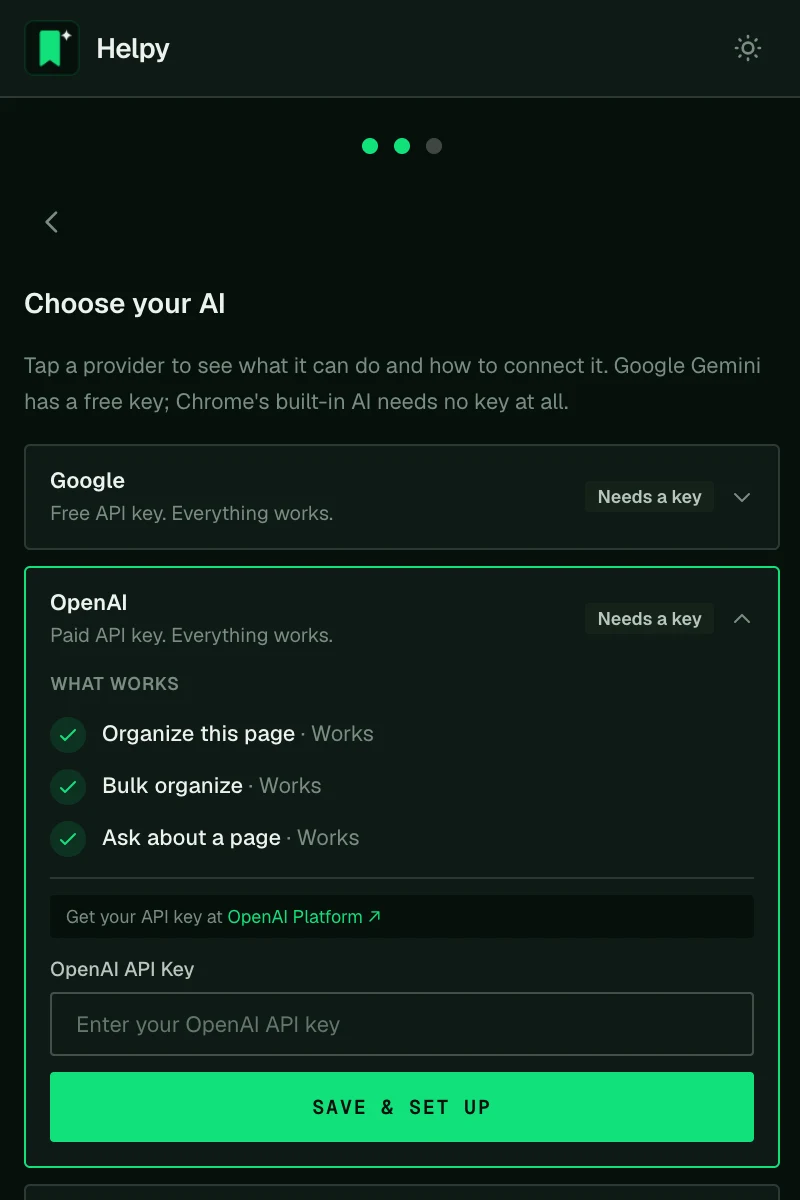
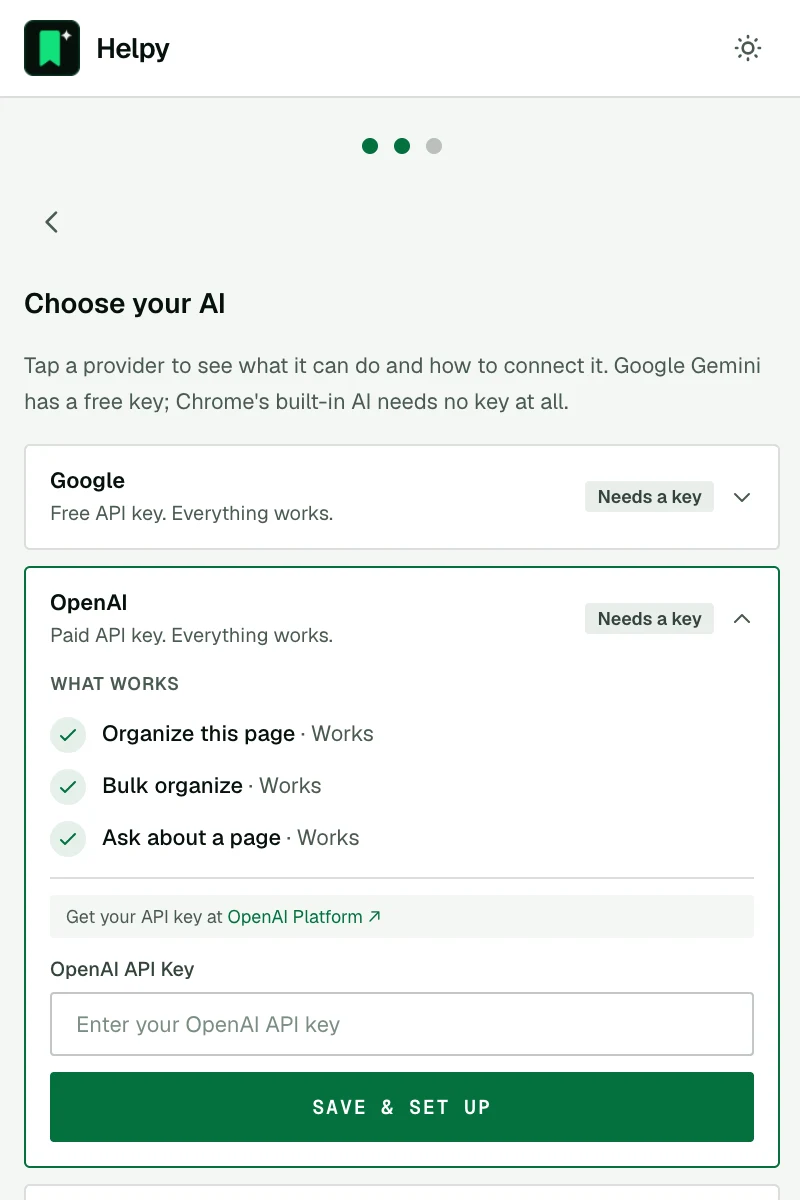
Pasting an API key, with a link to the provider's key pagePasting an API key, with a link to the provider's key page

04 Model

Pick a model, or keep the recommended one

Helpy lists only text models from this year and last, and puts the one that scored best in our tests at the top, already selected. You can change it anytime in Settings.
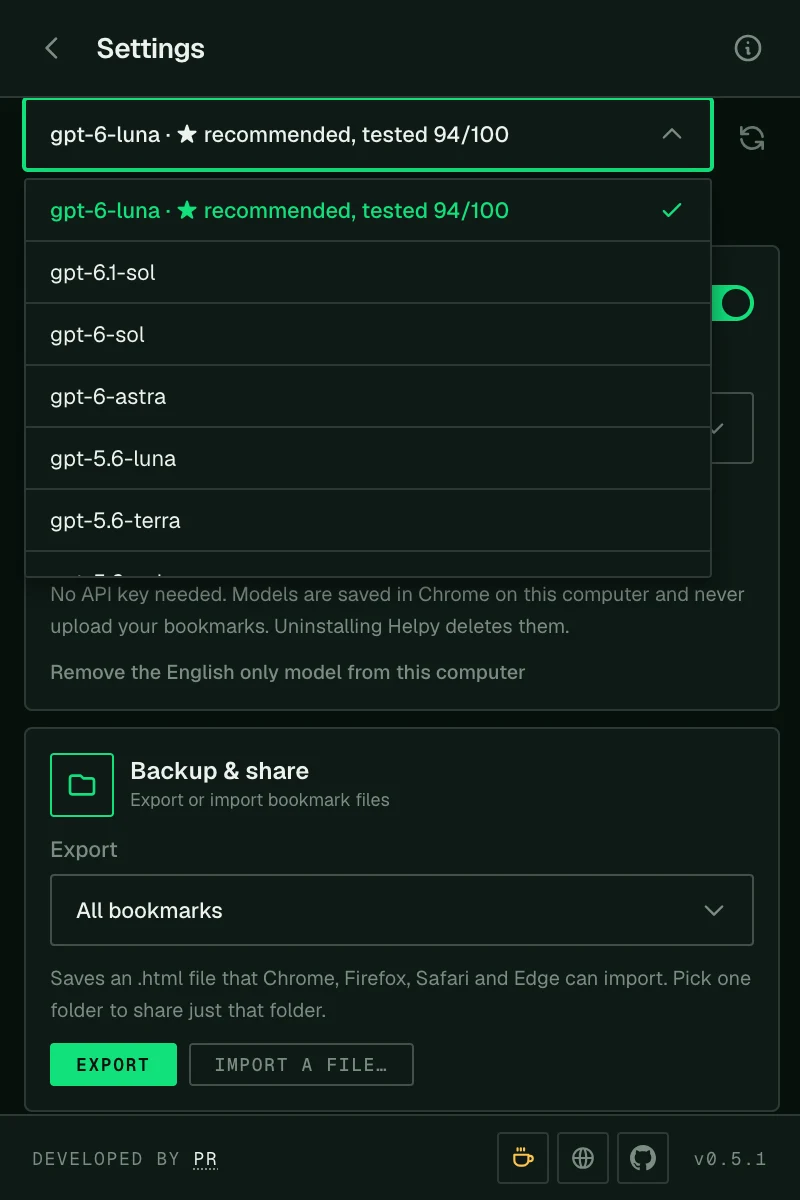
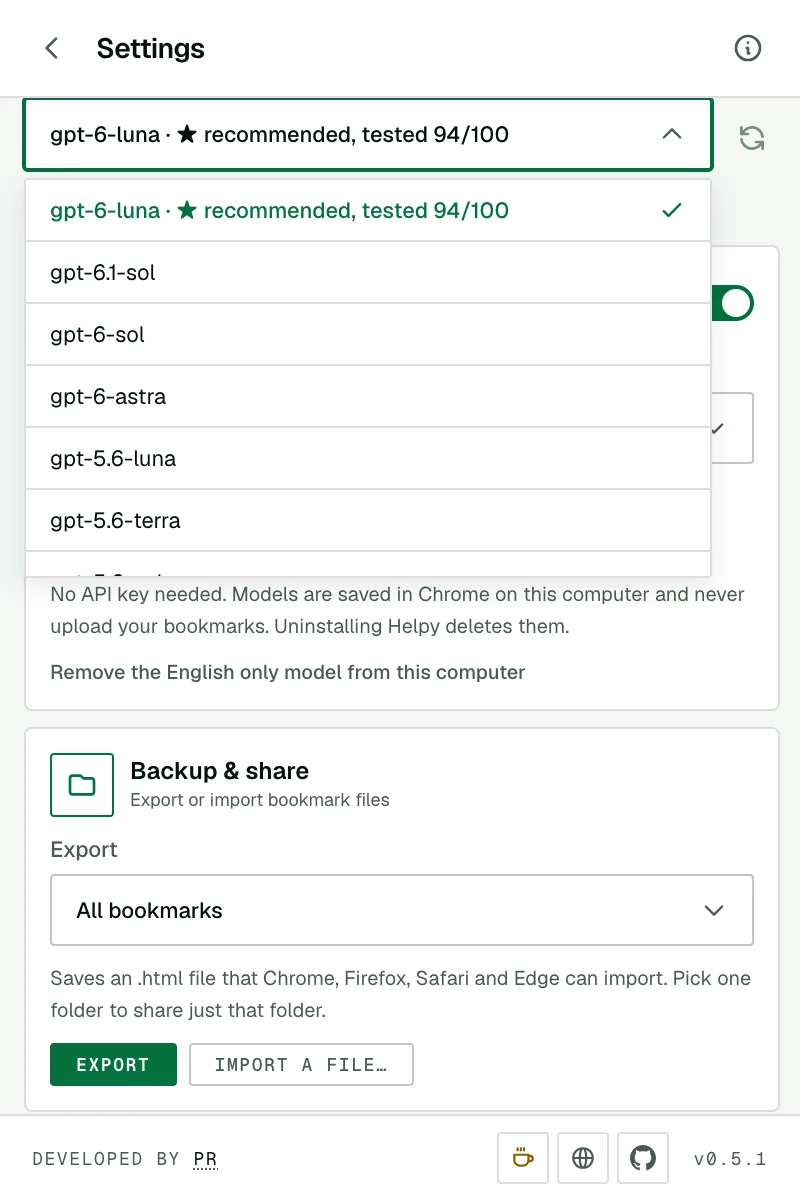
The model list with the recommended, tested model firstThe model list with the recommended, tested model first

05 Check

See how your model scored

Under the model picker, open Test score to see how accurate, fast and cheap that model was on real bookmark work: organizing a page, bulk organizing and answering questions.

All tested models ↓
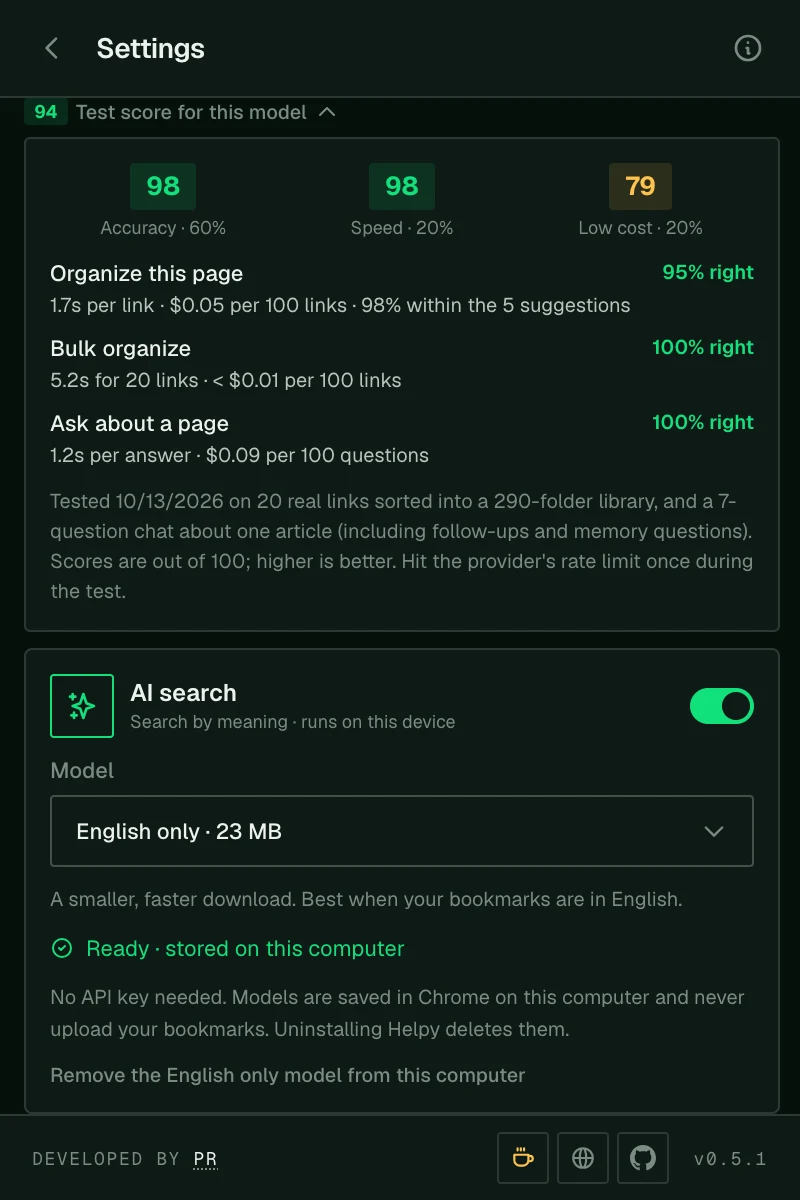
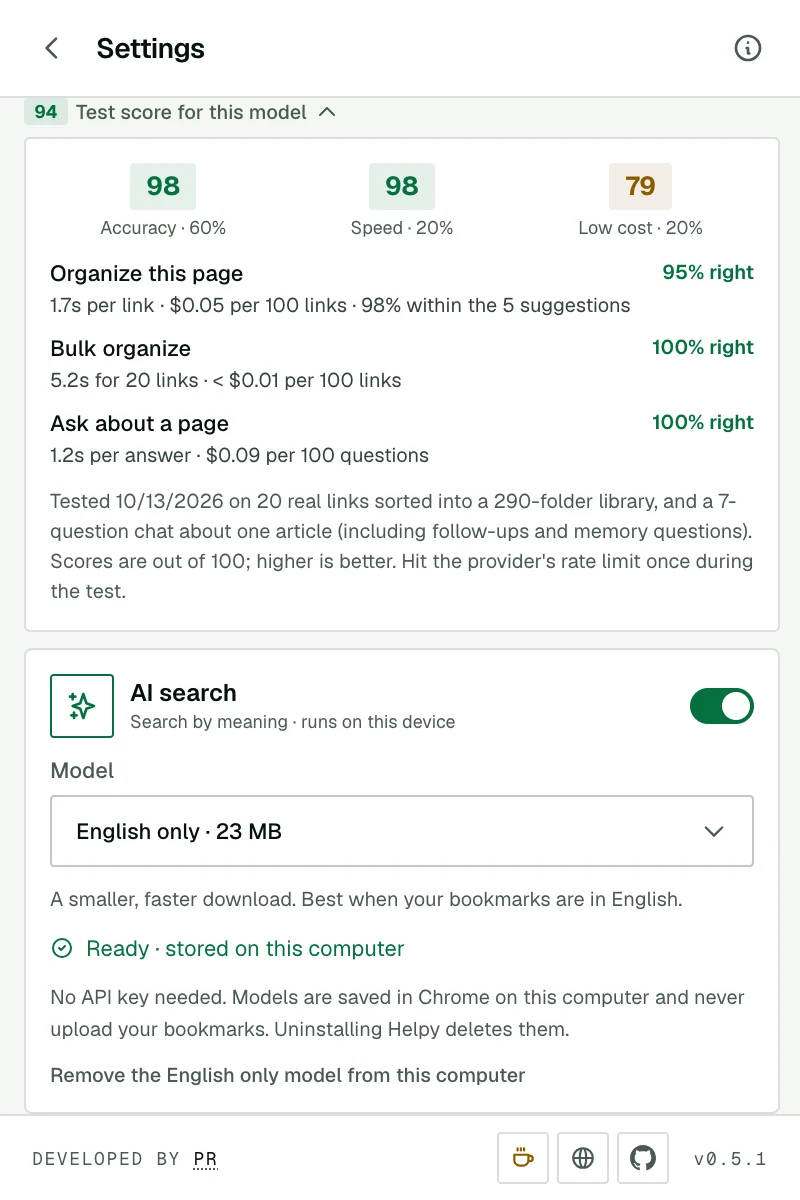
Test scores for the selected model: accuracy, speed and costTest scores for the selected model: accuracy, speed and cost

06 Organize

Organize your first page

  1. Open any page you want to keep and click the Helpy icon.
  2. Press Organize this page. Suggestions arrive in about a second with fast models.
  3. Keep the recommended folder, pick another option, choose any folder from your tree, or press New folder… to name one.
  4. Press Save here. Done.
Choosing a different folder from your bookmark treeChoosing a different folder from your bookmark tree

❯ Your AI, your choice

What works with each AI.

AI search works with all of them, or none: it uses its own small model on your device.

Google Gemini

Free key

Free API key. Everything works.

  • ✓ Organize this page
  • ✓ Bulk organizeThe free tier has rate limits, so large runs can be slower.
  • ✓ Ask about a page
Get a free key ↗

OpenAI

Paid key

Paid API key. Everything works.

  • ✓ Organize this page
  • ✓ Bulk organize
  • ✓ Ask about a page
Get a key ↗

Anthropic Claude

Paid key

Paid API key. Everything works.

  • ✓ Organize this page
  • ✓ Bulk organize
  • ✓ Ask about a page
Get a key ↗

OpenRouter

One key, many models

Hundreds of models behind one key. What works depends on the model you pick.

  • ✓ Organize this pageFree models are capped at 50 requests a day and are often busy.
  • ~ Bulk organizeNeeds a model that reliably returns structured answers.
  • ~ Ask about a pageSmall models only see the start of long pages.
Get a key ↗

Local model

Ollama, LM Studio…

Your own OpenAI-compatible server. Nothing leaves your computer.

  • ✓ Organize this pageThe server must be running while you use Helpy.
  • ~ Bulk organizeWorks best with 7B+ instruction models. Speed depends on your machine: in our test, Gemma 4 (7.5B) on a MacBook Air M4 with 16 GB sorted 20 links in about 80 s.
  • ~ Ask about a pageLong pages may be cut to fit the model.
Ollama setup guide ↗

Chrome built-in AI

No key

Gemini Nano, built into Chrome 138+. Free, on-device, no key. Needs 22 GB free disk and a GPU with more than 4 GB VRAM, or 16 GB RAM and 4+ CPU cores.

  • ✓ Organize this page
  • ✕ Bulk organizeChrome only offers this model while the popup is open.
  • ✓ Ask about a pageOnly the first part of long pages fits.
Check the requirements ↗

❯ Tested, not guessed

How the models scored.

Every model was run through the same real work: filing 10 new links into a 293-folder library, sorting a batch of 20, and a 7-question chat that checks facts, follow-ups, languages and memory. Each answer was reviewed by hand.

OpenAI

gpt-6-luna

94/100
Accuracy 98
Speed 98
Low cost 79
Organize a page
95% · 1.7s
Bulk, 20 links
100% · 5.2s
Ask
100% · 1.2s
Cost / 100 pages
$0.05
Recommended

Google

gemini-3.5-flash-lite

91/100
Accuracy 99
Speed 100
Low cost 58
Organize a page
100% · 0.9s
Bulk, 20 links
97% · 1.4s
Ask
100% · 1.1s
Cost / 100 pages
$0.14

Anthropic

claude-haiku-5-5

89/100
Accuracy 95
Speed 98
Low cost 64
Organize a page
87% · 1.3s
Bulk, 20 links
99% · 12.2s
Ask
100% · 1.3s
Cost / 100 pages
$0.07

Local · Ollama · free

gemma4

75/100
Accuracy 72
Speed 57
Low cost 100
Organize a page
59% · 4.6s
Bulk, 20 links
80% · 80.7s
Ask
76% · 3s
Cost / 100 pages
free

Run locally with Ollama on a MacBook Air (Apple M4, 16 GB RAM). Speed depends on your computer.

OpenRouter · free

nvidia/nemotron-3.5-lightning

54/100
Accuracy 49
Speed 24
Low cost 100
Organize a page
47% · 18.6s
Bulk, 20 links
0% · 290.5s
Ask
100% · 4.5s
Cost / 100 pages
free

Tested October 2026 on 20 real links and a 293-folder library. Overall score = 60% accuracy, 20% speed, 20% cost. Seconds are the median per page or answer, and for one 20-link batch.

❯ Privacy at a glance

No servers of ours. Nothing to track.

Helpy has no backend. It talks only to the AI provider you picked, and only when you ask it to do something.

Stays in your browser

Always on your device

  • Your bookmarks and folders
  • Your API keys and settings
  • AI search, its model and its index
  • Your Ask chat history
  • Everything, if you use Chrome's built-in AI or a local model

Sent to the AI you chose, only when you ask

Just what the task needs

  • Organize this page: the page's title, address and description, and your folder names
  • Bulk organize: titles and addresses of the bookmarks you selected, and your folder names
  • Ask: the page's text and your conversation
Read the privacy policy →

❯ FAQ

Questions, answered.

Is Helpy free?

Yes. Helpy itself is free. If you use a paid AI provider, you pay them directly for what you use, which for bookmarks is tiny: organizing 100 pages costs well under $0.10 with the recommended models. Google Gemini's free key, Chrome's built-in AI and local models cost nothing.

Which AI should I pick?

For the best results, the top model in our tests (it's pre-selected for you). For free, Google Gemini. For maximum privacy, a local model with Ollama or Chrome's built-in AI. You can switch anytime in Settings.

Will Helpy move my bookmarks without asking?

No. For a single page you choose the folder and press Save here. For bulk organize you get a full plan to review, and you can untick anything, before a single bookmark moves.

Can it handle a big, messy library?

Yes. Bulk organize works in batches in the background, so thousands of bookmarks are fine. You can close the popup while it works. Export a backup first from Settings → Backup & share if you'd like a safety net.

Does AI search need an API key?

No. It downloads a small model once (23 MB English, or 118 MB for 50+ languages) and runs entirely on your device. Helpy asks before downloading, and only once.

Does Helpy collect my data?

No. There's no account, no analytics and no server of ours. Requests go straight from your browser to the AI provider you chose. Details are in the privacy policy.

Which browsers are supported?

Google Chrome on desktop. Chrome's built-in AI needs Chrome 138 or newer on supported hardware. Other Chromium browsers may work but aren't tested yet.

I found a bug or have an idea.

Please tell me through the feedback page. The Report tab in Helpy opens it with your version filled in. You can also email info@peresramirez.com.

❯ Help make it better

Built by one person, shaped by you.

Report a bug or share an idea

Something broken, confusing or missing? Every message is read, and bugs get fixed fast.

Buy me a coffee

Helpy is free, has no ads and never will. If it saves you time, a coffee keeps it going.

Opens PayPal. Any amount is welcome.